> For the complete documentation index, see [llms.txt](https://ritrek.gitbook.io/ritrek-docs/llms.txt). Markdown versions of documentation pages are available by appending `.md` to page URLs; this page is available as [Markdown](https://ritrek.gitbook.io/ritrek-docs/backup/saving-a-backup-of-your-recovery-plan.md).
# Saving a backup of your recovery plan
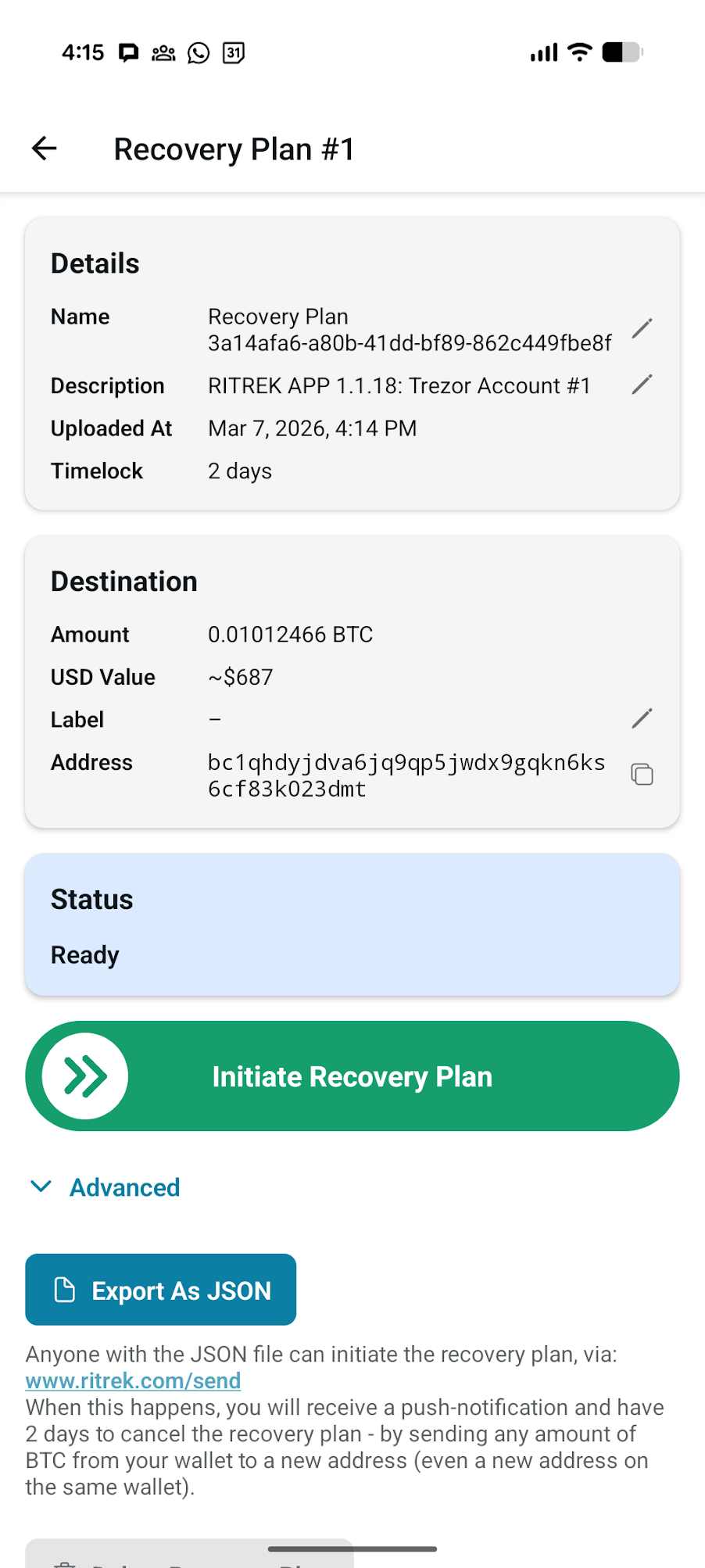
Press the "Export As JSON" button to download a file that contains the pre-signed transactions and the labels.
The pre-signed transactions only allow the Bitcoin to be moved **exactly in the way you signed them -** to the specific destination address and subject to the defined timelock.
If a hacker obtains this file, they may attempt to broadcast the transactions. However, without access to the destination wallet, and without waiting for the timelock period to expire, they will not be able to access the Bitcoin.
{% hint style="info" %}
**Quantum Threat:** In theory, a sufficiently powerful quantum computer could manipulate the pre-signed transactions if a hacker obtained one of your backups. This risk is not unique to recovery plans - it affects almost every Bitcoiner who uses a standard wallet during the period between signing a transaction and its confirmation on the blockchain. If practical quantum computers ever become a reality, we would all need to move our Bitcoin to new, quantum-resistant wallets.
As of 2026, such quantum computers are not expected to arrive within the next 10 years.
{% endhint %}
{% hint style="info" %}
**Privacy:** The pre-signed transactions contain information about your Bitcoin addresses, the destination address, and the amount of Bitcoin you hold. RITREK does its best to preserve your privacy and does not collect personal information about you from sources such as Google Play.
{% endhint %}
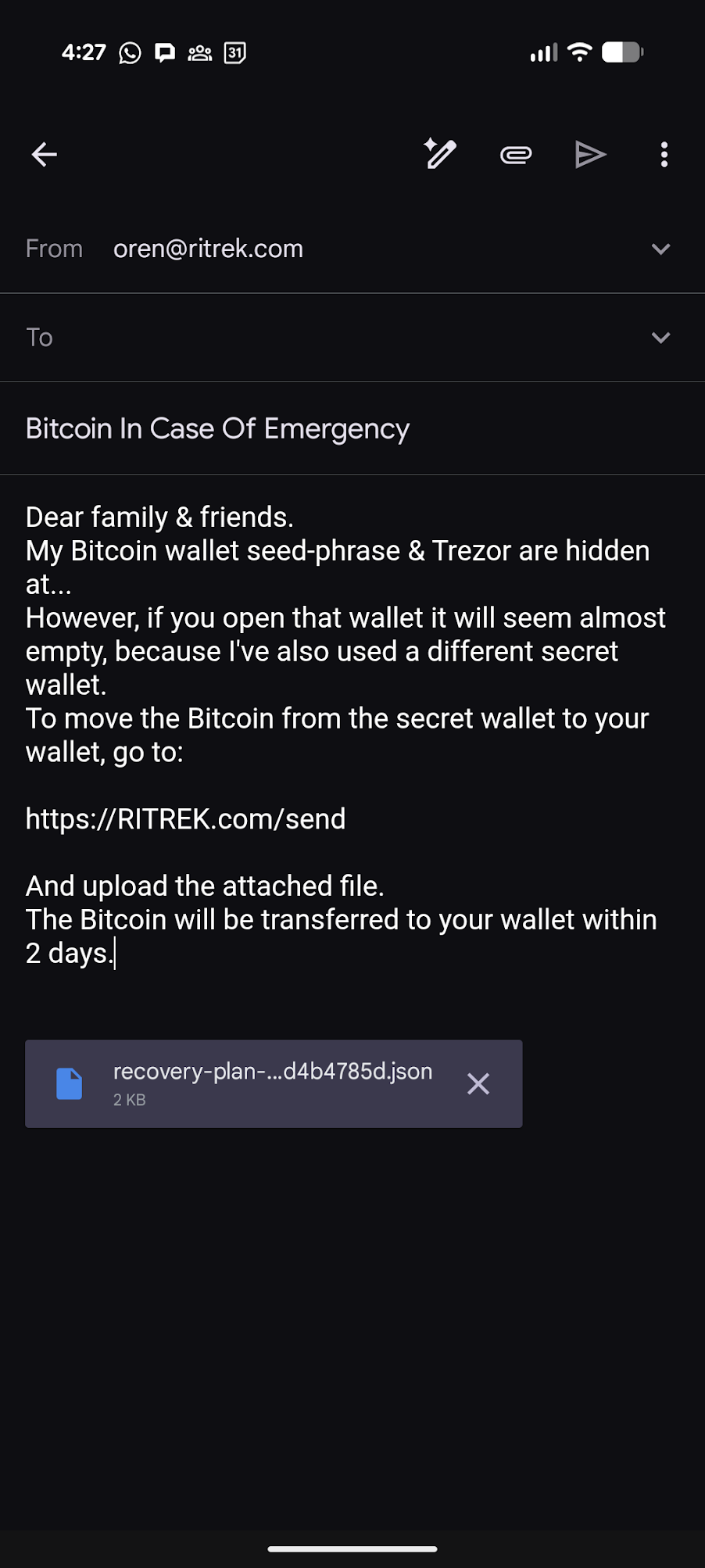
We recommend sending this file to family and friends:
On the next page, we will learn how your family and friends (or your future self) can initiate the recovery plan using the JSON file - even without installing the RITREK app.